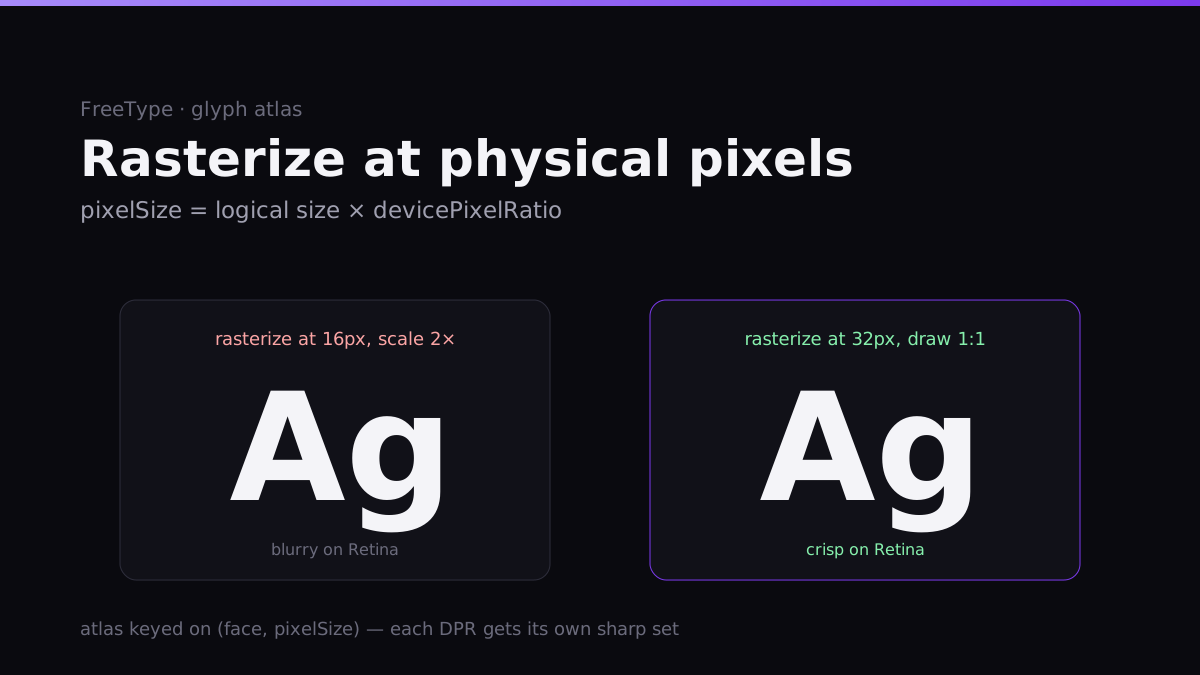
Build a canvas renderer, run it on a Retina display, and the first thing you notice is that your text looks slightly soft. Not broken — just a touch blurry, the way a screenshot scaled up 2× is blurry. Everyone has seen it; fewer people know exactly why, and the why points straight at the fix.
When I ripped Skia out of Vel and started rendering text through FreeType myself, this was the first wall. Here's what's actually going on.
The bug is a resolution mismatch
A Retina display has a devicePixelRatio of 2 (sometimes 3). Your window is, say, 800 logical points wide but 1600 physical pixels wide. The GPU draws at physical resolution; your layout reasons in logical points.
Now think about a glyph. The naive path:
- You want 16pt text, so you rasterize the glyph into a 16-pixel-tall bitmap.
- You draw that bitmap into a layout that's measured in logical points.
- The canvas matrix scales everything by the DPR (2×) to fill the physical framebuffer.
Step 3 is the killer. That 16px glyph bitmap gets stretched to 32 physical pixels by the GPU's bilinear sampler. You rasterized at half the resolution the screen can show, then blew it up. The font hinting, the carefully anti-aliased edges — all smeared across pixels that don't line up. That's the softness. It's not the font; it's that you rendered it for a display half as sharp as the one you're on.
The fix: rasterize at physical pixels
The rule is one sentence: rasterize glyphs at the size they'll occupy in physical pixels, and draw them 1:1. For 16pt text on a 2× display, you ask FreeType for a 32-pixel glyph and blit it without scaling. The edges land on real device pixels. It's sharp because nothing resampled it.
Concretely, that's why Vel's rasterizer takes a pixel size, not a point size:
void  setPixelSize(std::uintptr_t face, float pixelSize);
GlyphBitmap rasterize(std::uintptr_t face, std::uint32_t codepoint);
float advance(std::uintptr_t face, float pixelSize, std::uint32_t codepoint);
The renderer computes pixelSize = logicalSize × devicePixelRatio and rasterizes there. The glyph bitmap is an R8 coverage map (one byte of alpha per pixel) sized for the device, and it's drawn at physical resolution with no scale in the matrix. The layout still happens in logical points — measurement uses the subpixel-aware advance, so wrapping and alignment are DPR-independent — but the pixels are always device-native.
The atlas has to be keyed on DPR
Here's the part that bites you if you bolt DPI on later. A glyph atlas is a texture you pack rasterized glyphs into so you upload once and draw many. The obvious key is (face, codepoint). That's wrong the moment a second DPR shows up.
The 'A' at 32px (16pt on a 2× display) and the 'A' at 48px (16pt on a 3× display) are different bitmaps. If the atlas key ignores pixel size, you'll serve a cached 2× glyph to a 3× context and you're blurry again — now intermittently, which is worse than always.
So Vel keys everything on pixel size: faces are cached per (path, pixelSize), advances and glyphs per (face, pixelSize, codepoint). Each DPR effectively gets its own crisp set of glyphs in the atlas. Move a window from a Retina laptop to an external 1× monitor and the renderer rasterizes a fresh set at the new pixel size; the old ones stay cached in case you drag it back. On the web, the host watches matchMedia for DPR changes (zooming the browser changes devicePixelRatio) and re-rasterizes, which is why Vel re-renders sharply when you Ctrl-+ instead of pixel-doubling like an image.
There's a subtlety in the metrics, too. FreeType hands you a face's vertical metrics, and you need a consistent convention for the baseline or text drifts vertically between fonts. Vel follows Skia's convention directly — ascent negative (above the baseline), descent positive:
struct FaceMetrics {
    float ascent;      // negative (Skia convention: above baseline)
    float descent;     // positive
    float leading;     // line gap
    float lineHeight;  // ascender - descender + leading
};
Matching Skia's sign convention wasn't aesthetic — it meant text that used to be laid out by Skia kept landing on the same baseline after I swapped the rasterizer, so nothing shifted by a pixel when the engine changed underneath it.
What it costs
The honest tradeoffs:
- Memory scales with DPR diversity. An app dragged across a 1×, a 2×, and a 3× display can hold three rasterizations of the same glyphs. For a UI font that's kilobytes; it's a real cost only with huge glyph ranges (CJK) across many sizes, which is when you'd add atlas eviction. Today the advance caches are bounded but the glyph atlas leans on the fact that UI text uses a small set of sizes.
- You must thread DPR everywhere measurement happens. Logical for layout, physical for raster — get the boundary wrong in one place and you get half-size text or a 2× atlas miss. The discipline is the cost of the sharpness.
- No fractional-DPR cleverness yet. A 1.5× display rasterizes at 1.5× and that's fine; I'm not doing anything special for fractional scales beyond honoring them.
The result is the thing you actually want and rarely think about: text that's pin-sharp on a MacBook, on an external monitor, and in a browser at 150% zoom — the same FreeType path on all three, because "physical pixels" is a rule the whole renderer obeys rather than a per-platform patch.
The next text milestone is the harder one: HarfBuzz shaping for kerning and complex scripts (Arabic, Devanagari), where a "string" stops being a sequence of independent glyph advances and measurement gets genuinely expensive — which is exactly the case the layout cache was built to protect.